BigBluePipeline
A VFX studio pipeline, rebuilt as the artist-side front end for b2c3d.
 Eddie OffermannPipeline architect
- Role
- Pipeline architect
- Areas
- VFX, Pipelines, Tools

A visual effects facility runs on its pipeline: the code that decides where every file lives, which version of which application an artist gets, and how work moves from one department to the next. I designed the original version of this pipeline while I was pipeline architect at Mirada Studios. BigBluePipeline is that pipeline brought forward to Python 3.13 and PySide6 and rebuilt around b2c3d.
The front end for b2c3d
b2c3d is the single source of truth for assets. BigBluePipeline is how artists reach it from the applications they already work in. They publish, version and import assets from inside Blender, the primary app, and Maya, through one shared set of Qt dialogs. A thin host adapter for each application supplies its integration, so a tool works the same everywhere.

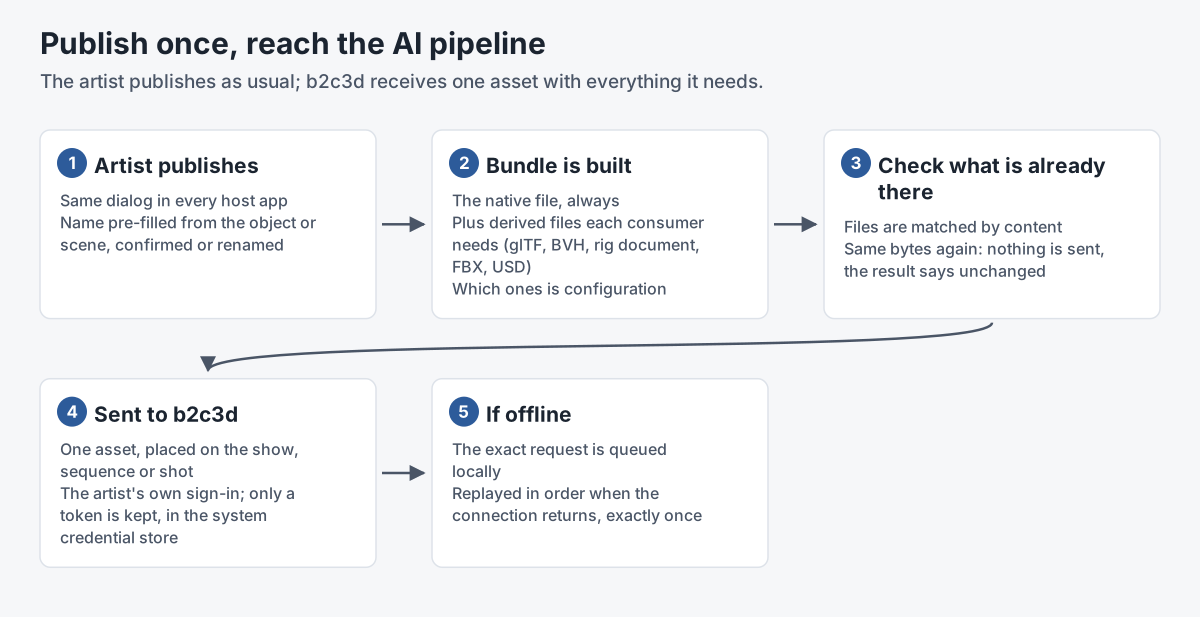
Exchange sends each publish to b2c3d as a bundle: the native file plus the formats each consuming application needs, such as glTF and USD.
The dialogs guard the asset namespace. Names are compared without regard to case, so a publish that matches an existing asset asks first: add it as the next version, or go back and rename it. A publish at a lower level, such as a shot-level prop over a show-level one, says what it will override and asks before doing it. Each artist signs in to b2c3d individually, and only a session token is kept, in the operating system's keychain. Publishing never waits on the network: if b2c3d can't be reached, the publish lands locally and the send is queued to retry.
The screenshots here use a fictional demo production.

What it inherits
The core of the studio pipeline carries over:
- Context. Every shell and tool knows its job, sequence, shot and role, and the context persists between sessions.
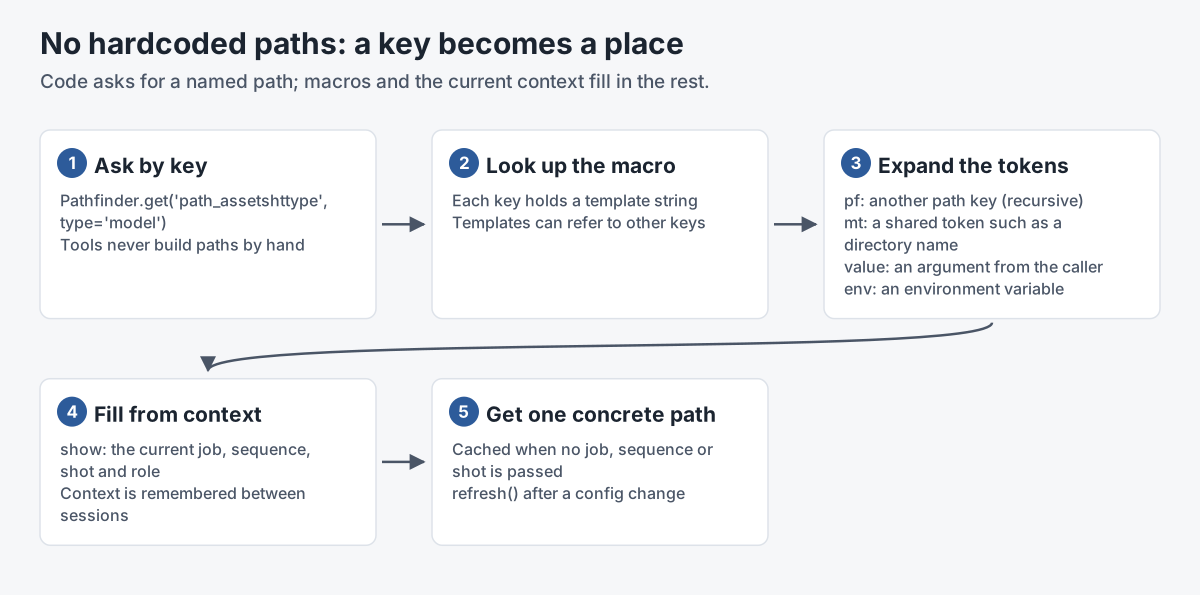
- Path resolution. Code never hardcodes a path. It asks for a named key, and the value is a macro string that expands other keys, tokens, the current context, passed data and environment variables.
- Layered configuration. Each module ships YAML defaults, and settings are overlaid from facility to job to sequence to shot to user, with role-specific layers at each level. The same tree of tools, libraries and config repeats at every level, so anything can be overridden per show or per shot.
- App launching. Per-version profiles set up the environment for each application, so an artist gets exactly the right build.
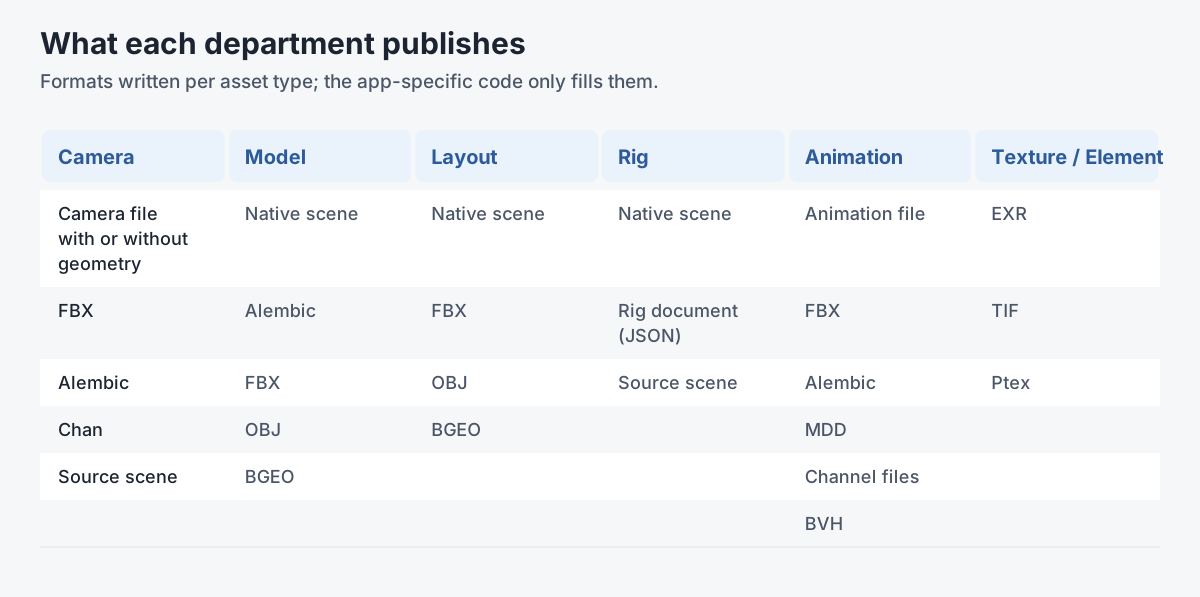
- Department integrations. Publish, subscribe and utility modules per department (model, layout, anim, camera, fx, light, texture), driven by one shared config of publish formats, levels and role restrictions. The original pipeline covered Maya, Nuke, Houdini, Cinema 4D, Mari and Photoshop.
- Around the edges. Asset approval levels, render farm submission, production tracking integration, notifications and file locking.

The show, sequence and shot hierarchy that organizes the pipeline is the same one b2c3d uses for its productions.


Gallery
Inside Blender with the pipeline add-on loaded: the B2C menu sits in the top bar. The scene is a demo production. 
The B2C menu: set the shot, open a department's toolbox, or publish and import straight from the menu. 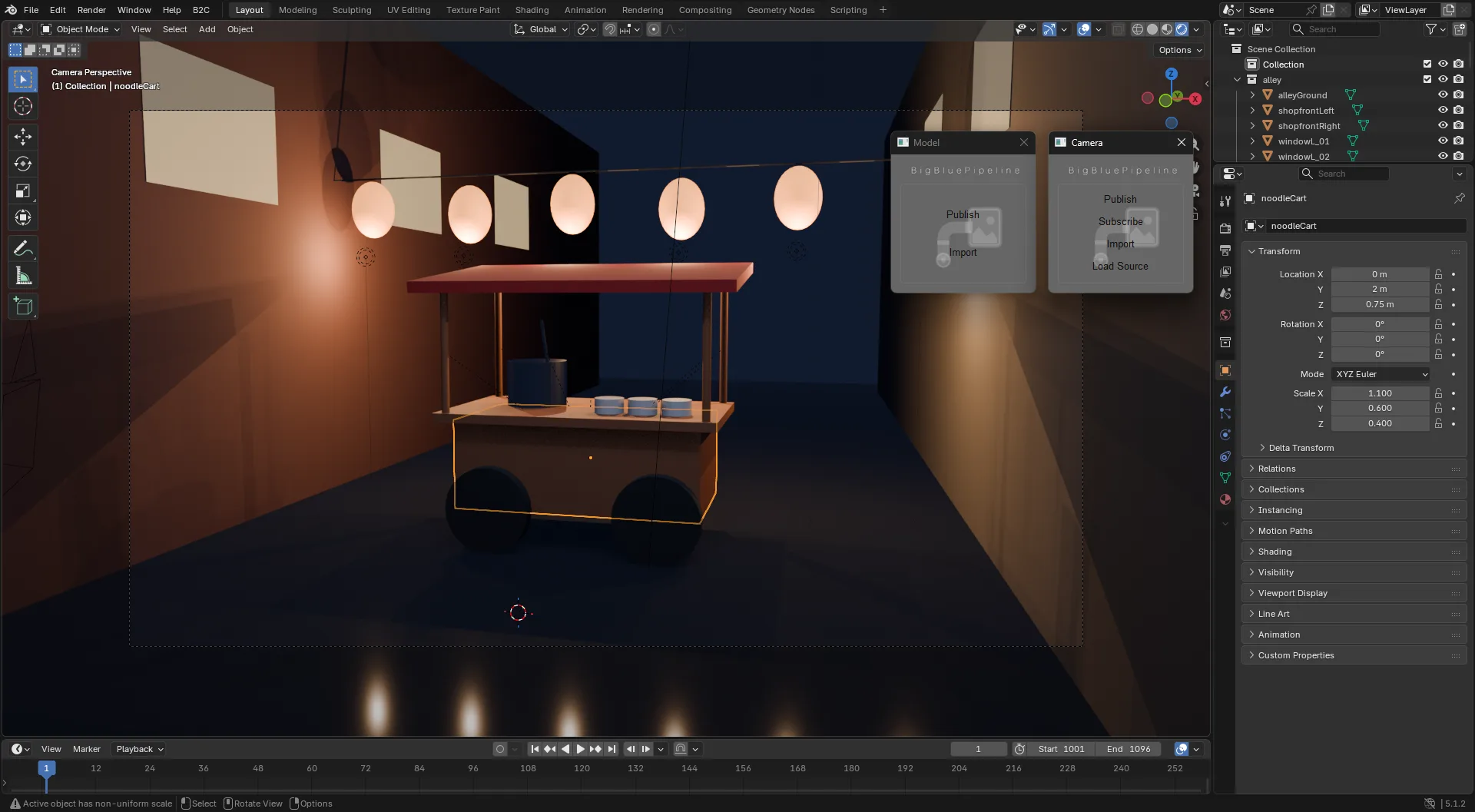
The Model and Camera toolboxes float over a live viewport, so Blender stays usable while they're open. 
The shared publish dialog over Blender, with the export name taken from the selected object. 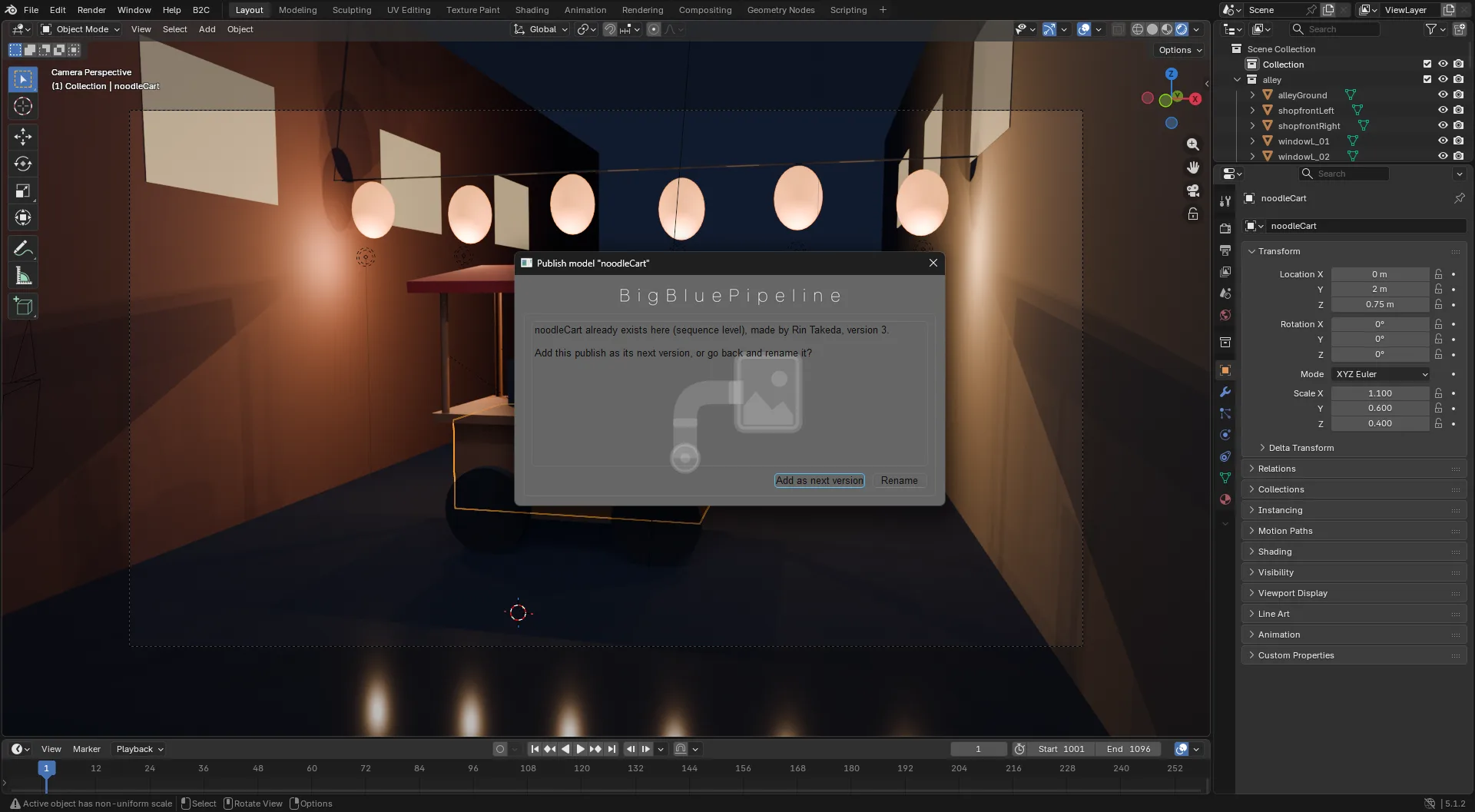
The name rule, asked in place: add as the next version, or rename. 
When an artist's b2c3d session expires, they sign in again without leaving Blender. 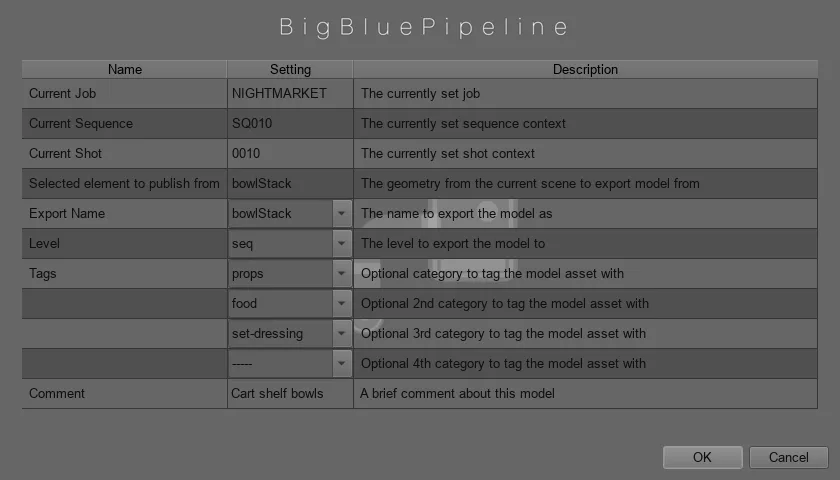
Publishing a new model at sequence level. The dialog knows the job, sequence and shot from the artist's context. 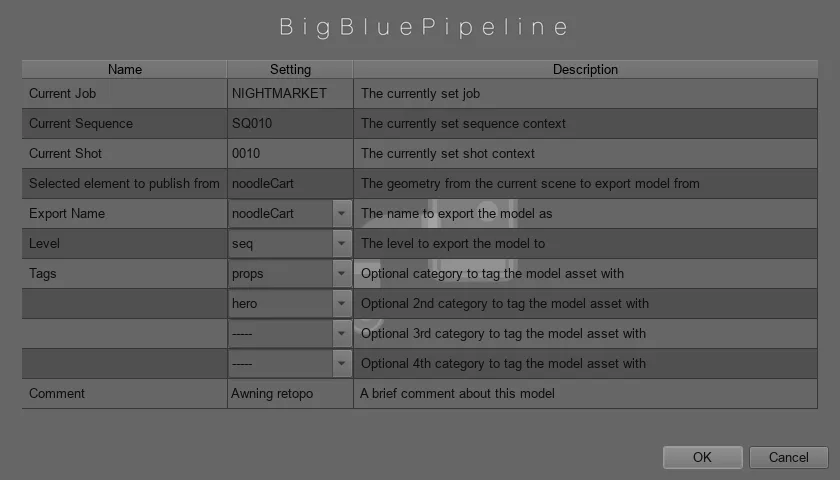
Republishing an existing hero prop. The export name is pre-filled from the scene object. 
The name already exists at this level, so the dialog asks: next version, or rename? 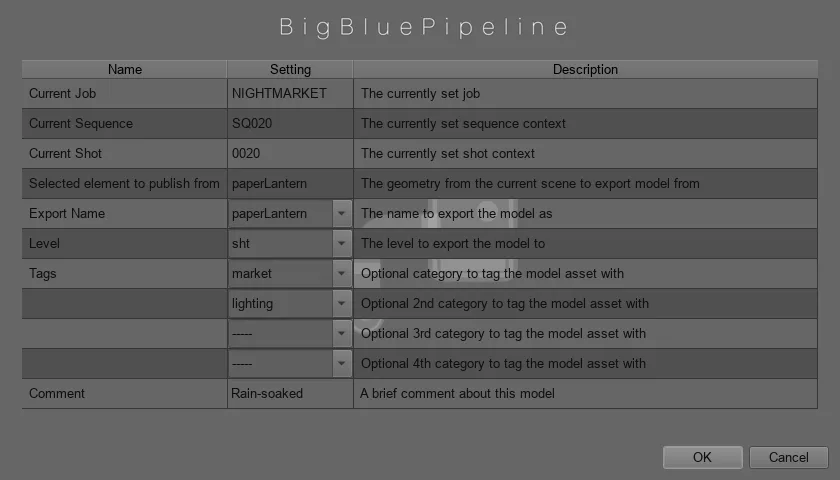
A shot-level model that will override the show-level one from this shot down. 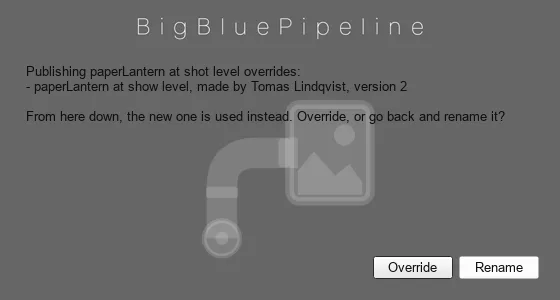
Overriding a show-level asset is never silent. The dialog names what it replaces. 
Publishing a camera: the same dialog, driven by the camera department's config. 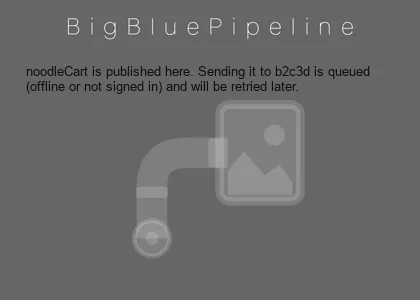
Publishing never waits on the network. If b2c3d can't be reached, the send is queued and retried. 
Each artist signs in to b2c3d. Only a session token is kept, in the OS keychain. 
The Model toolbox, opened from the B2C menu in Blender or the Maya shelf. 
The Camera toolbox.
Related work
-

b2c3d
Traditional 3D content creation, rebuilt with AI inside the tools.
-
Realtime Mocap Camera for Games
A camera operator on a mocap stage, shooting footage inside a live game.
-

Animated Lobby Installation
A large, continuously animated, immersive lobby.
-

AuRA Avatar Generator
Customizable, photorealistic presenters for AI-generated video briefings.